
Data Origin - Web Link
Note
In the individual platform object search engines (tasks, forms, workflows, material operations, site, clients, etc.) you will have the possibility of generating a link of the search carried out and taking that information to both Excel and Power BI with the great benefit that you will not have the need to download an exportable every time you need to update the information
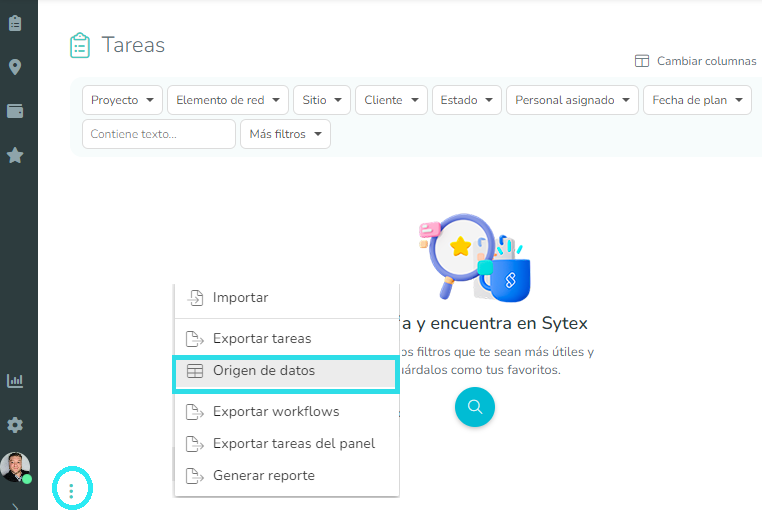
This link will always be generated from the button represented by 3 vertical points, which are found in the lower left margin of the search engines as shown in the example images.
Connection with Microsoft Excel
With the link generated, you must select the Data Source option, this will show you a new window that will guide you to generate the connection.
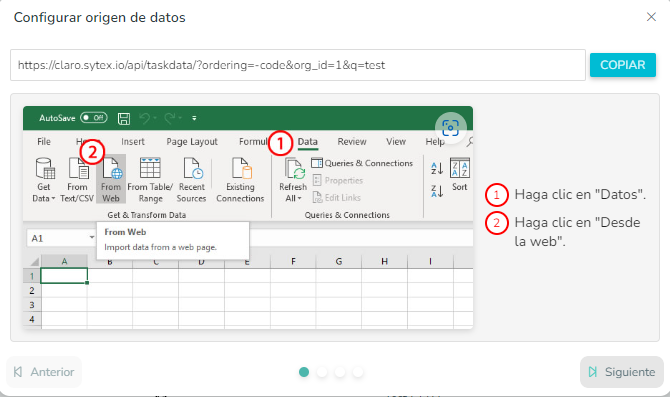
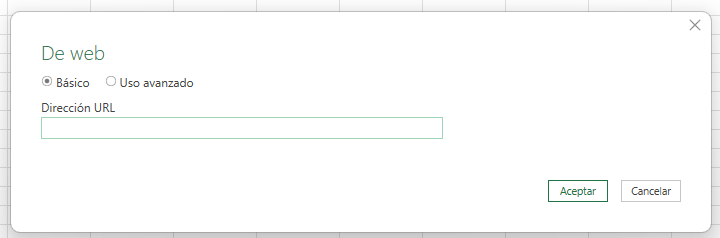
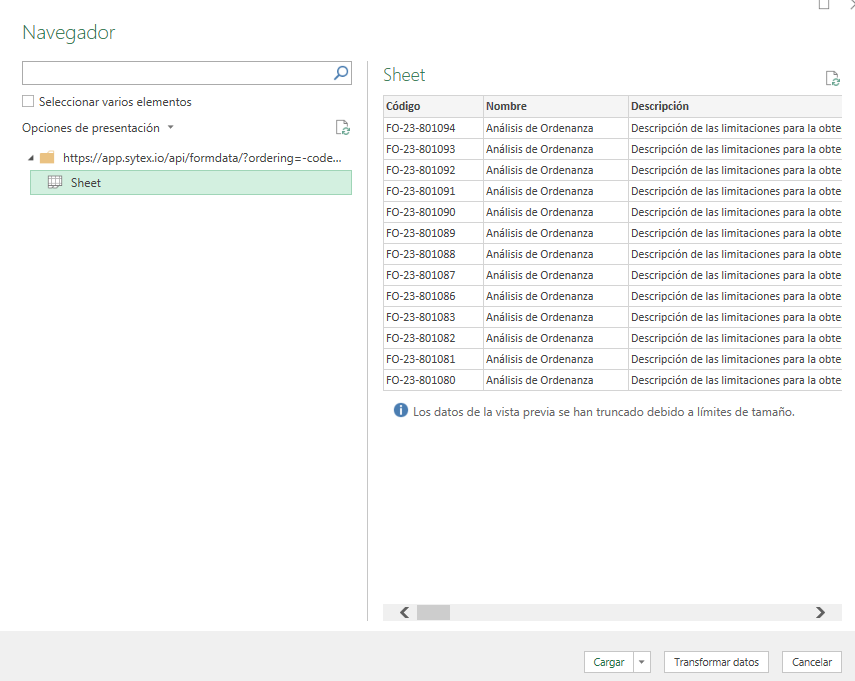
In the next step you will be able to load and/or model your data.
Connect to Microsoft Power BI
If you wish, you can also connect to the same link through Power BI, following a few simple steps
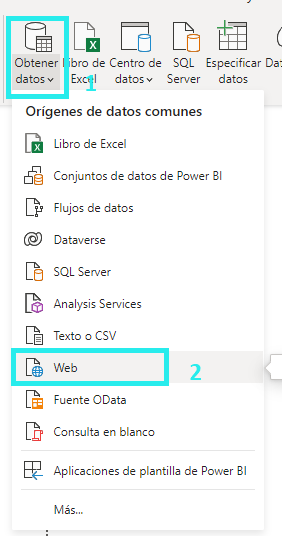
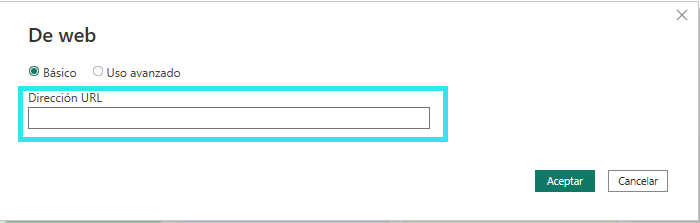
Then the link generated by Sytex is placed and "Accept" is selected.
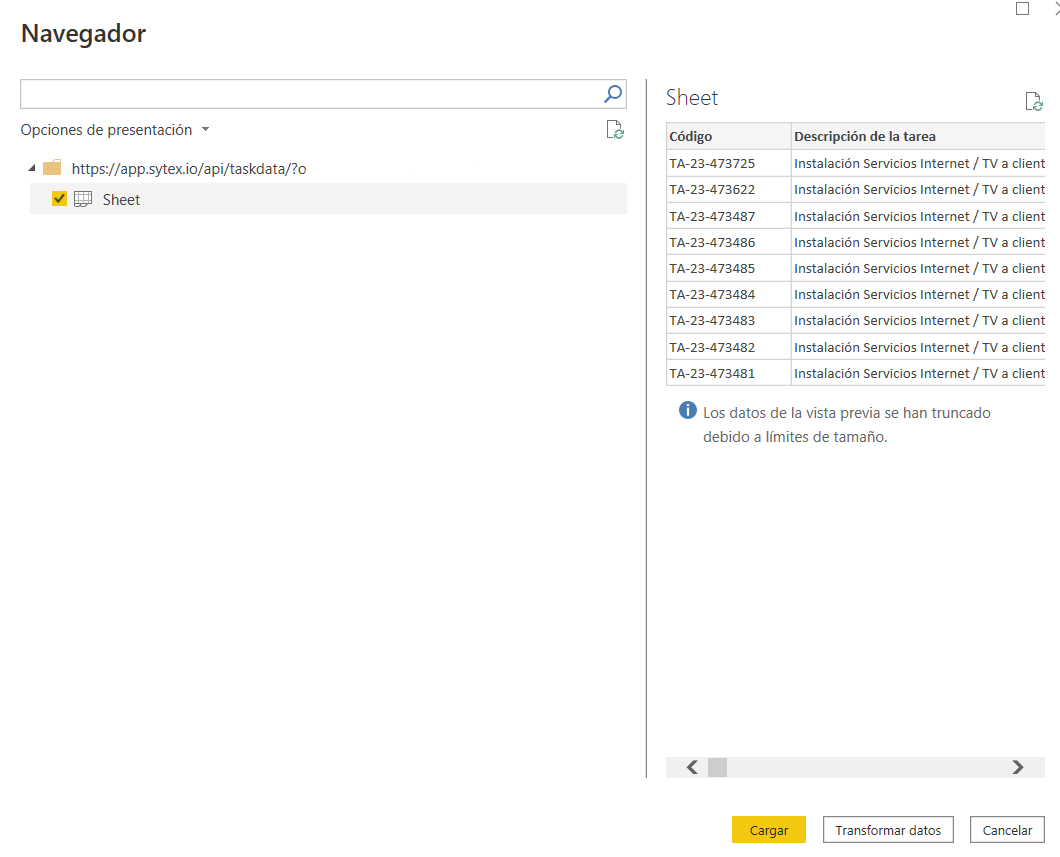
In the next step you will be able to load and/or model your data
[!CAUTION]
Note: This method requires credentials that will be requested by both Excel and Power BI and they differ from those used to enter the platform. Please request a password for support sources using the "?" located in the upper right corner of the platform