
Export Form in Excel template
The aim of this tutorial is to teach you how to extract information from the form into a pre-configured Excel.
Before you begin exporting, you will need access to the form template and your Excel file that you will use as the format.
- Enter the codes into each Excel cell:
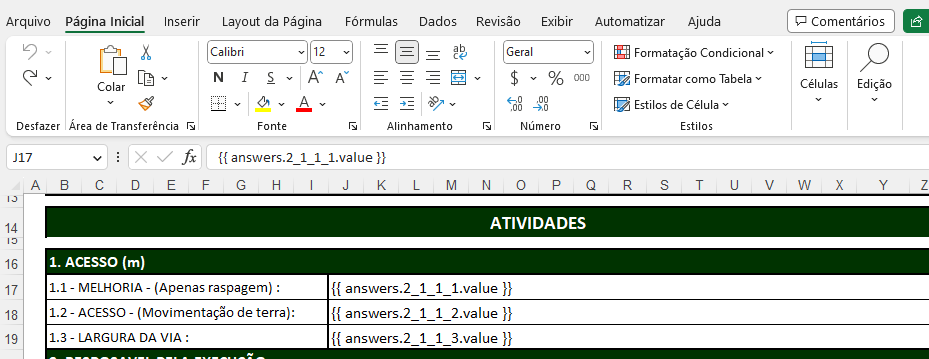
The first step is to enter the codes into each Excel cell where you want the response to be placed:
- Open the Excel file where you will enter the responses
- Enter the corresponding codes. For example: {{ answers.1_1.value }} to enter response 1.1
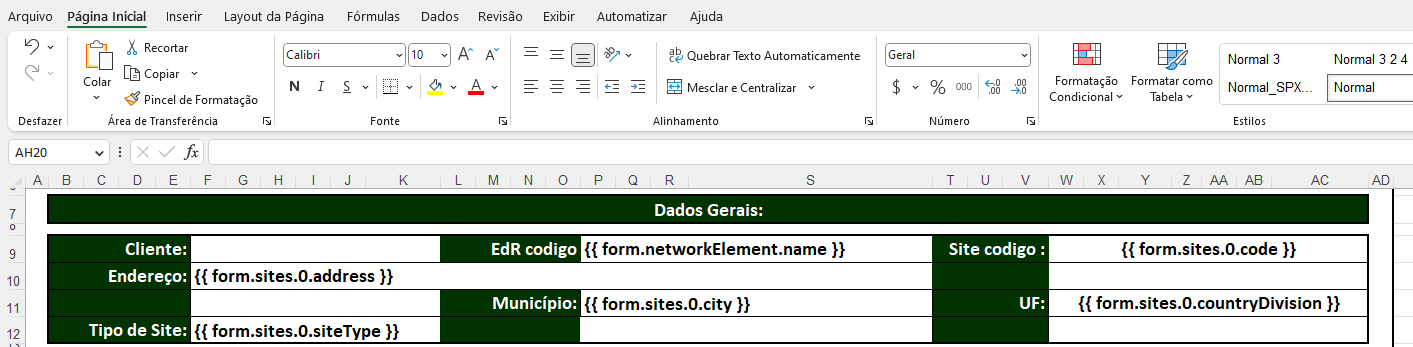
- You can also add site information, network element, or other related object. For example, site code:
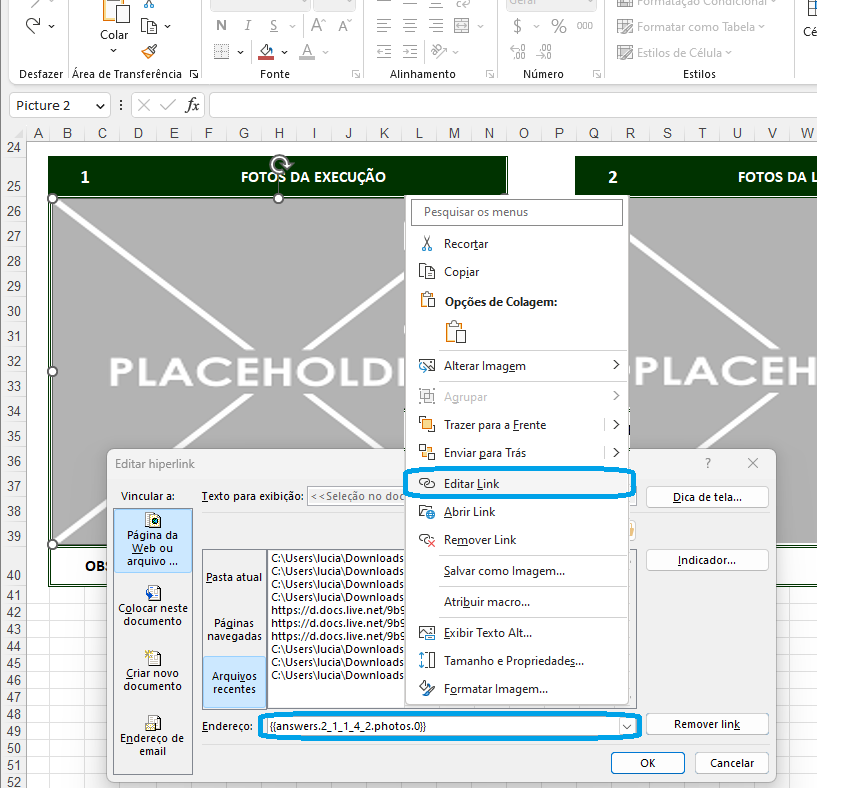
- If you want to add a photo as a response, you must insert a sample image, adjust its size, and put the code in the image link.
For example: {{ answers.1_2.photos.0 }} to add the first photo from question 1.2
Here we provide you with a file containing all the possible Holders (codes to enter) 😉
[[examples of holders 2023-12-27 (7) (1).xlsx (13KB)]](https://slite.com/api/files/pBeVJe0XHlHm3/examples%20of%20holders%202023-12-27%20(7)%20(1).xlsx?apiToken=eyJhbGciOiJIUzI1NiIsImtpZCI6IjIwMjMtMDUtMDQifQ.eyJzY29wZSI6Im5vdGUtZXhwb3J0IiwibmlkIjoiSWoydnVSYktHbGZ5bXgiLCJpYXQiOjE3NzM0MzA4NzUsImlzcyI6Imh0dHBzOi8vc2xpdGUuY29tIiwianRpIjoiRFd1dGpJSkVhOXNFanQiLCJleHAiOjE3NzYwMjI4NzV9.valb3aU3SS7ZPGPov3eKPWKu2zZNg40gea-mcqug)
2. Load the Excel format into the Sytex form template
Now that you have the file, you can upload it in the Files section of the form template
3. Export the Excel from a Sytex Form
- Select the form you want to export in your Excel template
- Click on the additional options button, located in the upper right corner of the form, and there you will find the "Export from template" button
- Select the export format you just created and press the "Export" button