Formula at forms
Note
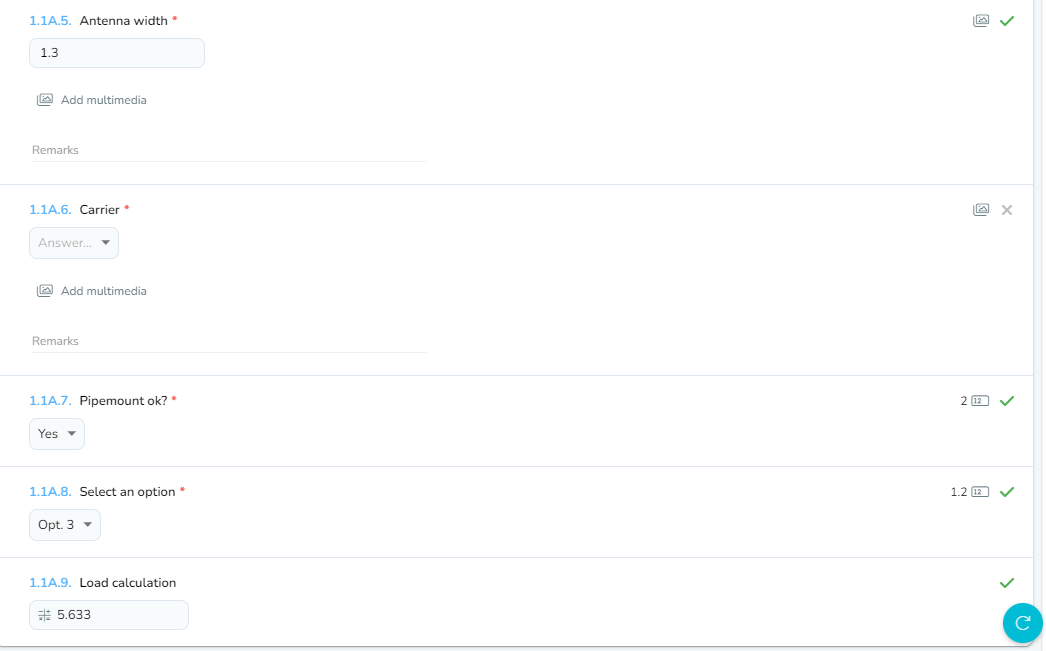
We just added formulas for Sytex forms!With this all new feature those who manage form templates will be able automate and optimize calculations or math operations without need to use third parties.
Note
We add a new question type, Formula, with the aim on resolve math operations for addition, subtraction, multiplication or division over fixed values or numeric values from form answers.
Let's talk about it a bit more:
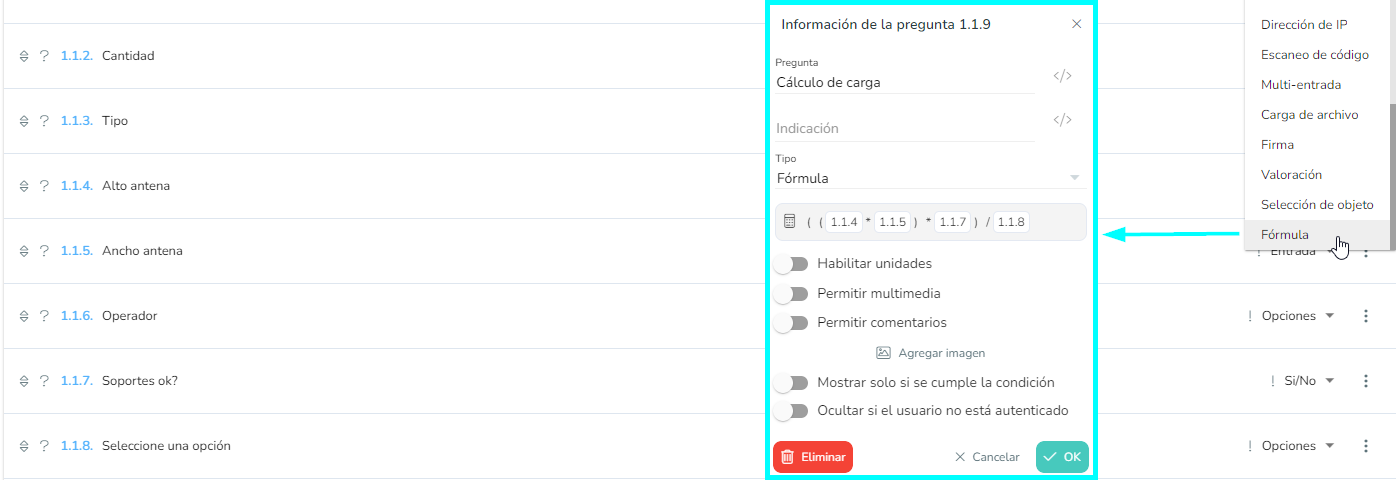
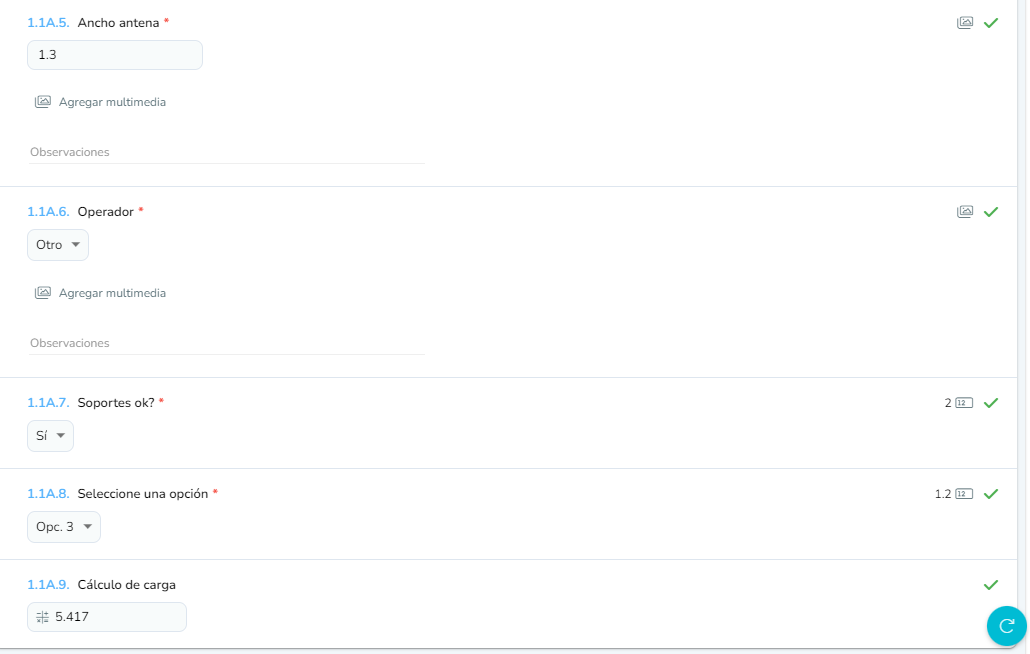
To existing form templates on Sytex, now you can add a Formula question type where you can set a math expression with variables as numbers, numeric answers from other questions or units corresponding to Yes/No or Options questions.
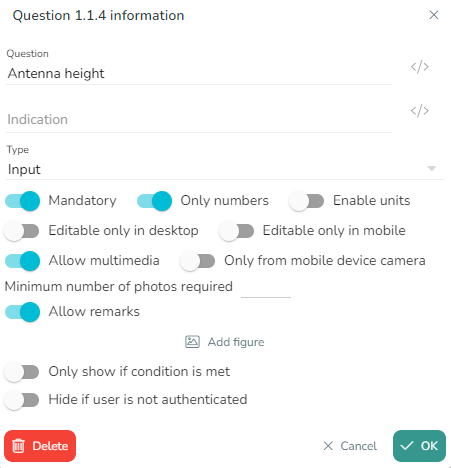
Before introduce a Formula question, ideally, you should configure Input questions marked with the "Only numbers" option. This will give the anwers in order to be used by system to calculate the formula.
It's also possible use answers from Yes/No questions to include them in the formula. First, you should select "Enable units" option on the question and assign a numeric value to Yes and No.
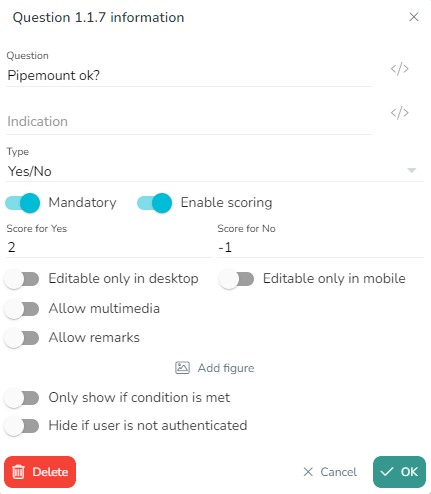
As same on Yes/No questions, in those of type Options you can enable units.
Give them numeric values negative, positive, integer or decimal to "quantify" each selected answer.
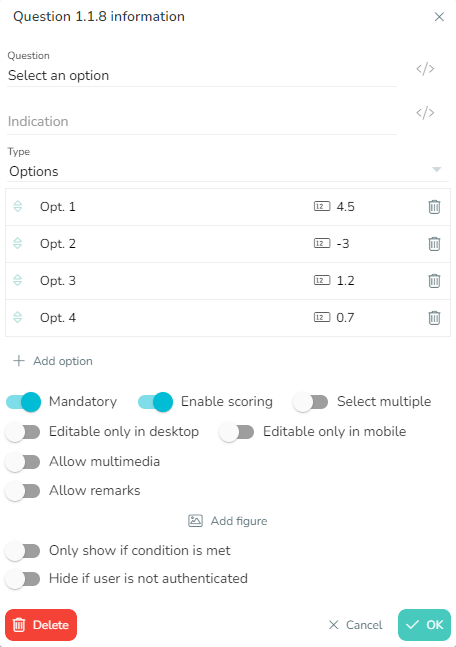
And finally it will be necessary adjust Formula question as same as any other math operation.
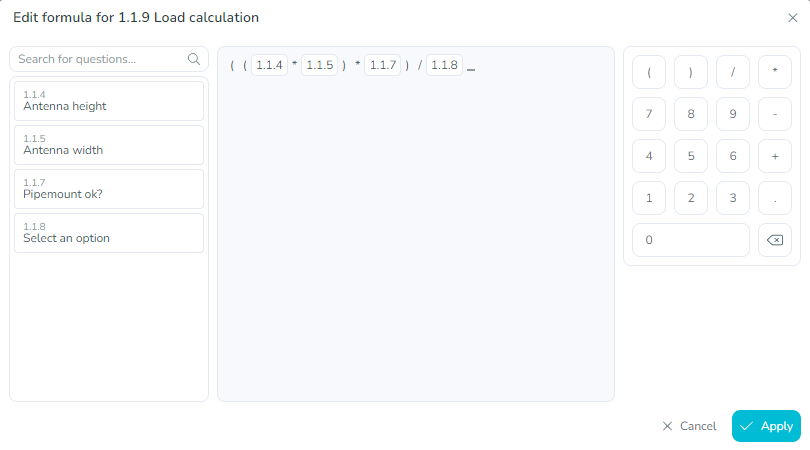
- To the left, enabled questions list to use
- In the middle, the math model, where you'll see the indexes of the questions from which the system will use it's answers
- To the right, buttons to include different operators and numbers
To finish, it's important to know that the result from the formula it's calculated contstantly as the values vary or the answers from the questions that are part of it. Alway that the form be in a editable status.