WorkFlow Templates
Note
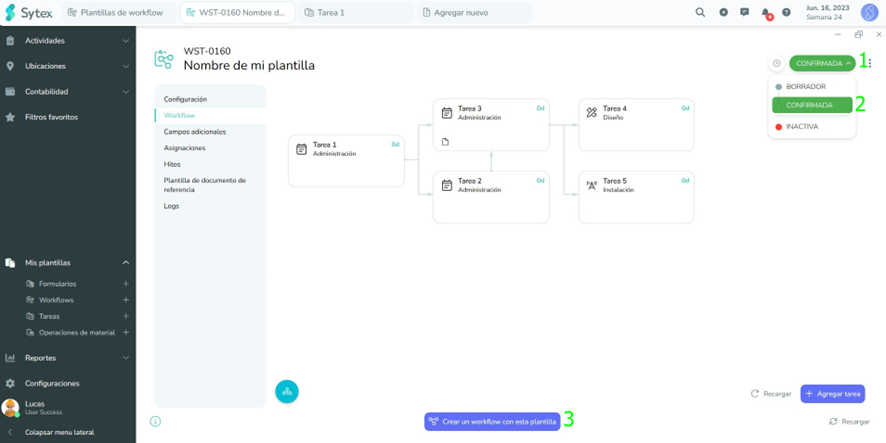
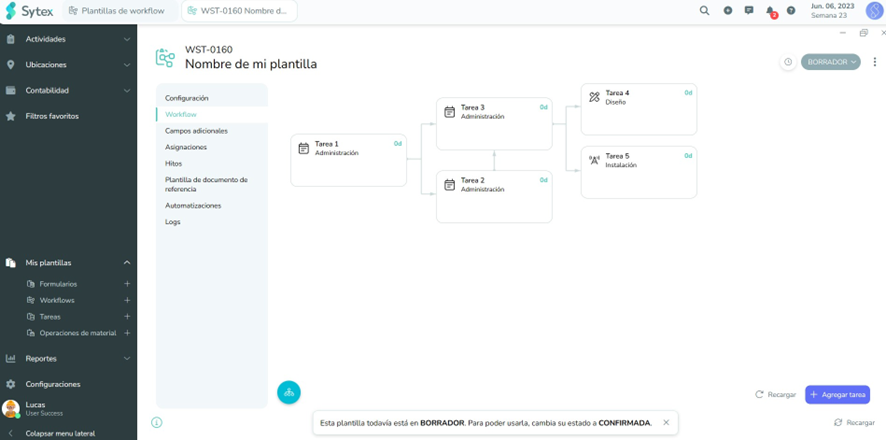
In order to generate workflows (workflow) that have and reflect several tasks / activities and relate several groups or work areas, the first thing is to diagram / assemble a template for that process (in Sytex Workflow template)
Creation
In the following video we will see the simple steps that we have to carry out to be able to assemble a WorkFlow template.
[[https://www.loom.com/share/c18a0a73facc45ad9e066be287948a58?sid=9fc1e474-d5fa-45ac-9a38-98cad8593133]](https://www.loom.com/share/c18a0a73facc45ad9e066be287948a58?sid=9fc1e474-d5fa-45ac-9a38-98cad8593133)
Note
We begin to manage the relationship between tasks once we have more than one task in the same workflow.
##
Using WBS for work
Brilliant! I already have a template! Now I can create workflows to work 😄
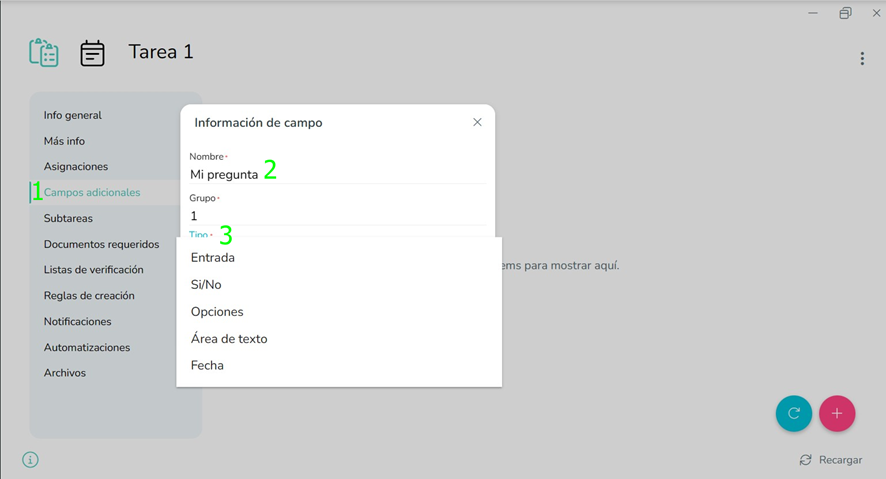
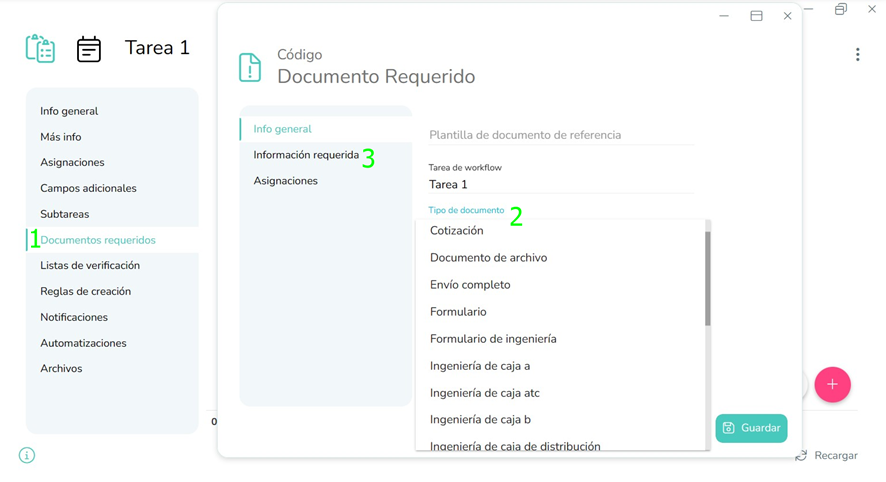
However, to faithfully reflect the process we will need to request requirements, specific conditions and leave everything registered and documented for each stage that progresses. This customization is to the taste and measure of each user; We can capture them for and within each task previously established:
- Simple questions (Additional Fields) that provide us with information on the process and resolution of the Task
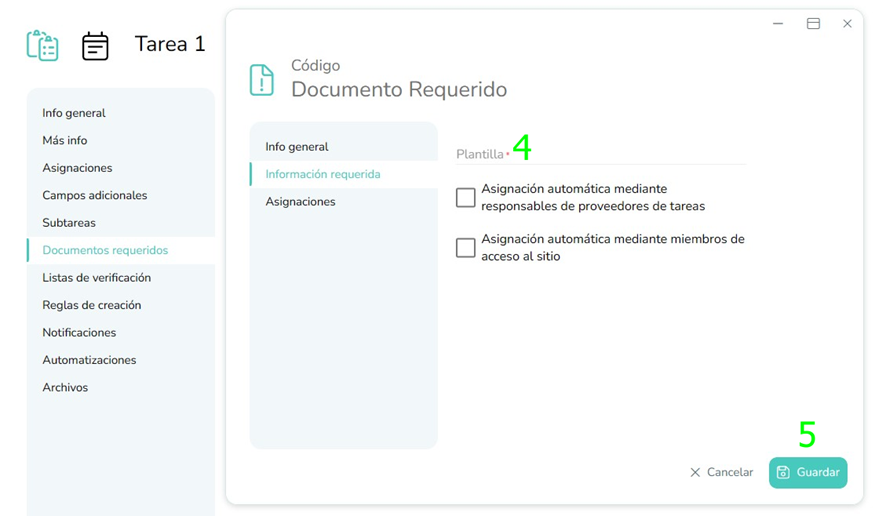
- Documents Required to complete the Task: Forms, File uploads, Workflows and many more available
Now let's get to work!
(Before I must change its status to "Confirmed")