Materials with MAC Address
When working with materials, you can categorize them based on their type, subtype, and other fields.
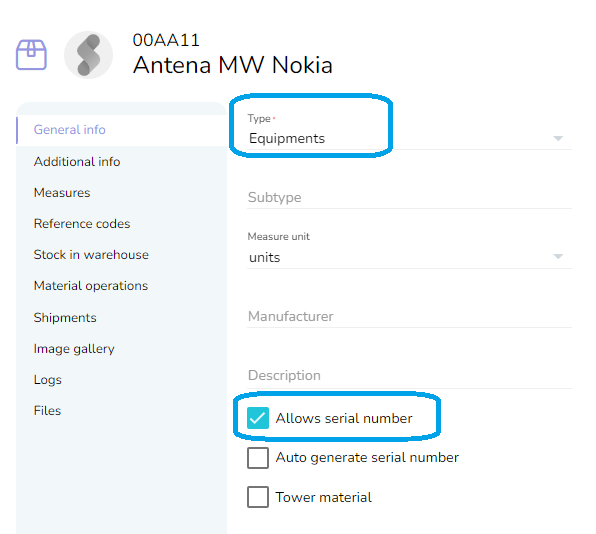
An important functionality is the "allow serial number," which enables the material to be moved in stock in single units, allowing you to assign a unique "Serial number" to each one.
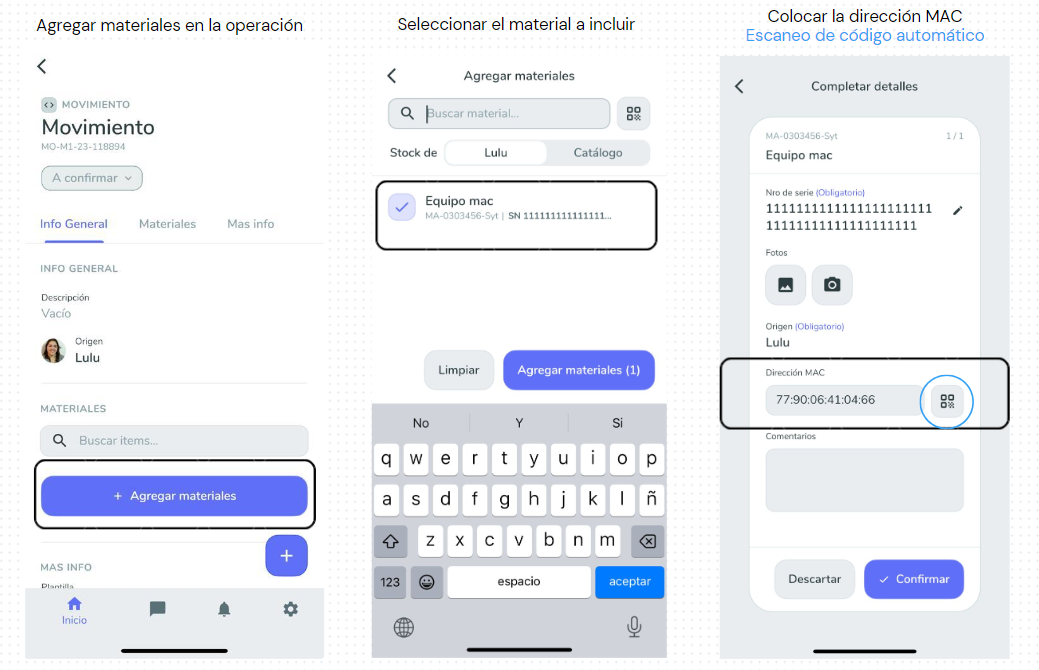
From the mobile app, you can automatically scan these codes.
This functionality is complemented by the new MAC field.
For materials classified as "Equipment" and also "Allows serial number", we have introduced a new feature: MAC address identification.
If your equipment has this identification, you can now manually enter the MAC address or use the mobile application to scan it directly from the barcode or QR code.
[[Diseño sin título.mp4 (820KB)]](https://slite.com/api/files/lpogHvzet46qsq/dise%C3%B1o%20sin%20t%C3%ADtulo.mp4?apiToken=eyJhbGciOiJIUzI1NiIsImtpZCI6IjIwMjMtMDUtMDQifQ.eyJzY29wZSI6Im5vdGUtZXhwb3J0IiwibmlkIjoiUEpUVHlSUHh0UElTNDQiLCJpYXQiOjE3NzM0MzA4NDAsImlzcyI6Imh0dHBzOi8vc2xpdGUuY29tIiwianRpIjoieS1jd2xYaXcyWlM4bEEiLCJleHAiOjE3NzYwMjI4NDB9.0Y5dy1zlO4rPIgm1YePIBj_C1V7QwDNEFyzEb00Fx8w)
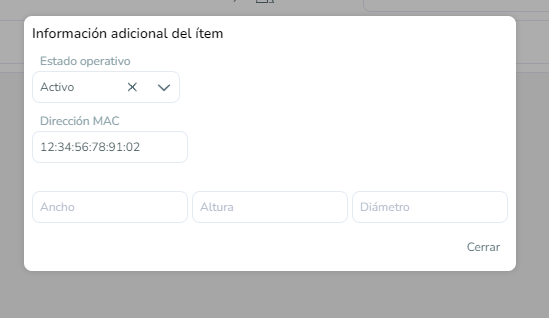
From the application, you can add this new MAC to the material or edit the existing MAC if it's a movement.