Back to Help Center

Starting with Sites!

Note
The Sites are in charge of granting each project the characteristic of being georeferenced.
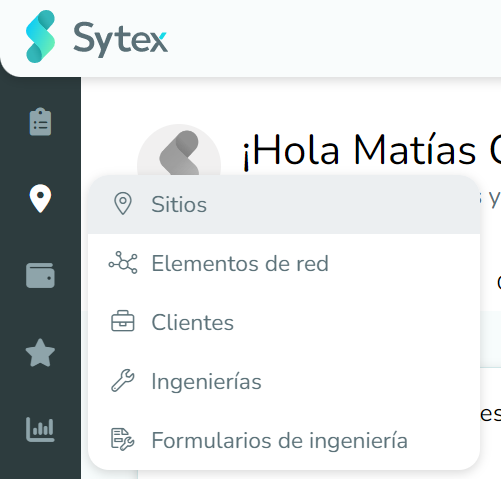
To create or search for an existing site, we must go to the Location functionality in the left panel of the screen: Sites.

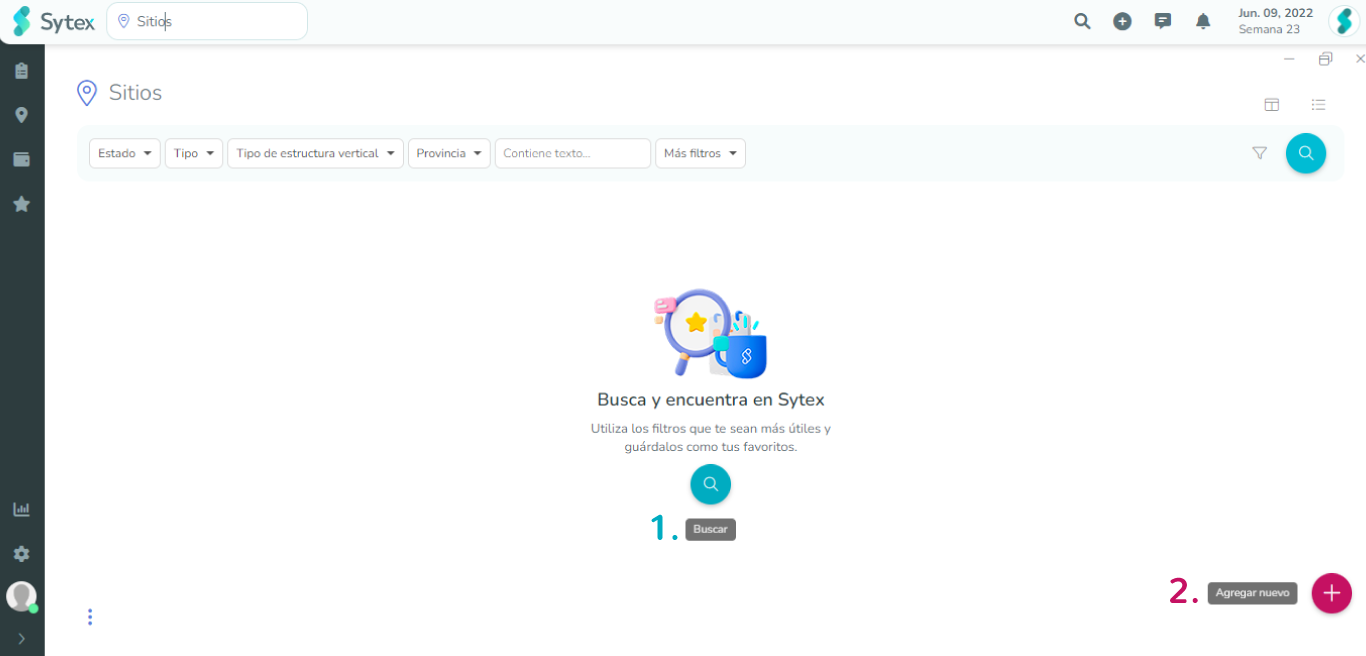
Buscar-Crear-Sitio.png

When entering the tab we will have two possibilities:

  1. Search for an existing site.
  2. Create a new site.

There is also the possibility of creating Sites in a more direct and fast way:
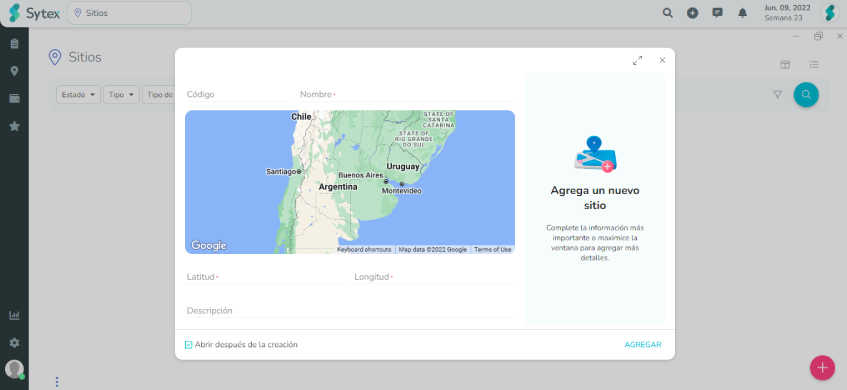
Selecting the + sign displays a menu where you will find the "Site" option

Window to create a site: Name, Latitude and Longitude are required fields. Don't forget to check "Open after creation"