Operadores de red
El plan de obras, al día.
Cuando la cuadrilla cierra el trabajo en el sitio, el avance del plan se actualiza solo.
Los equipos ágiles trabajan más rápido con Sytex
Lo que hoy no se ve de la operación, y cómo se resuelve.
Para gerencia
Tablero del plan
Para saber cómo viene el plan hay que armar un reporte.
Avance por hito y por contratista
Los sitios atrasados, a la vista
Se actualiza al cerrar cada tarea
Cada tarea cerrada mueve el tablero, y la reunión del lunes arranca con el estado de hoy.
Cada bloqueo se descubre tarde, cuando el sitio ya frenó.
Si una tarea se pasa del plazo, el responsable recibe el aviso con el sitio y lo que falta.
Cada contratista trabaja con su propio formato.
Todos usan la misma plantilla, y cada contratista ve sólo los sitios que tiene asignados.
El avance llega por planilla, días después.
La cuadrilla cierra la tarea en el teléfono y la oficina la ve en cuanto vuelve la señal.
La foto no sirve y el sitio se rechaza.
Cada foto se revisa contra el criterio del cliente y, si no sirve, el técnico la repite ahí mismo.
El contratista llega al sitio y el material no está.
La lista de cada sitio cruza cuándo se necesita el material con cuándo llega, y marca lo atrasado a tiempo.
Un pedido, y se cierra sin que nadie lo empuje.
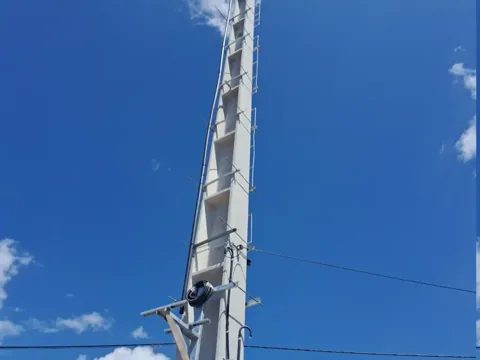
Todo lo que la cuadrilla necesita saber del sitio viaja en la tarea. Nadie tiene que llamar a la oficina para enterarse de qué hay arriba.
Frente
Soportes
Punta de la torre
El trabajo sale del plan.
La etapa del proyecto abre el trabajo que necesita, con el sitio y el alcance ya cargados.
La orden se lleva el sitio con ella.
La cuadrilla ve lo que está instalado y lo que encontró la última visita, sin llamar a la oficina.
Tus cuadrillas y tus contratistas, en la misma bandeja.
Cada uno ve su propio trabajo, con sus permisos, y reporta en el formulario que definiste.
El campo reporta sin señal.
Fotos, números de serie, mediciones y firmas se cargan sin conexión y se sincronizan al volver la señal.
El agente asigna. Tu equipo aprueba.
Los armas: cada uno tiene su rol, lo que lo dispara y lo que puede hacer.
Agenda y asignación de contratista
Indica el contratista para este proyecto, y la fecha de finalización.
Cierra las tareas de agenda: elige un contratista habilitado para el proyecto, fija la fecha dentro de la ventana del proyecto y deja la tarea lista para ejecutar. Escribe una entrada en la discusión con lo que cambió.
Ver el avance sin juntar planillas.
Un despliegue de sitios de 2025 en un operador de telecomunicaciones, con cerca de 20 equipos.
Saber en qué está cada sitio
8,5 h
10 min
El estado se actualiza a medida que los equipos reportan.
Emitir el informe de cierre
3 días
Instantáneo
Sale en el momento en que la tarea cierra, con la evidencia ya validada.
Pasos manuales para poner un sitio en servicio
22
11
Y cuatro de ellos ahora corren solos.
Leer el caso completo
Lo que nos preguntan
¿Qué es un software de gestión de despliegue de red?
Corre el plan de obras como un proceso: cada etapa del proyecto abre el trabajo que necesita en cada sitio, las cuadrillas y los contratistas reportan desde el campo, y la etapa avanza cuando el trabajo se cierra. El avance del plan sale del trabajo cerrado, sin consolidar planillas.
¿Cómo sigo el avance de varios contratistas?
Cada cuadrilla y cada contratista trabaja en la misma cola, con sus permisos y el formulario que definiste. Las tareas cerradas alimentan el tablero, y el tiempo promedio de cierre por contratista sale de ese mismo registro.
¿Funciona sin señal en el sitio?
Sí. Fotos, números de serie, mediciones y firmas se capturan sin conexión en el sitio y sincronizan cuando el teléfono recupera señal.
¿Los agentes de IA pueden hacerse cargo de parte del proceso?
Los agentes se arman como cualquier otra parte del proceso: cada uno lleva su rol, lo que lo dispara y lo que puede hacer. Uno puede elegir un contratista habilitado y fijar la fecha, y dejar la tarea lista para que el equipo apruebe.
Trae un proceso.
Con uno alcanza: un despliegue de sitios, un comisionamiento, un correctivo. Te lo mostramos con tus etapas y tus formularios.
Hablas con Alfred, nuestro asistente de IA, y después con el equipo.
Operadoras de rede
O plano de obras, em dia.
Quando a equipe fecha o trabalho no site, o avanço do plano se atualiza sozinho.
Equipes ágeis trabalham mais rápido com a Sytex
O que hoje você não vê da operação, e como passa a ficar à vista.
Para a gerência
Painel do plano
Para saber como vai o plano, alguém precisa montar um relatório.
Avanço por marco e por empreiteira
Os sites atrasados, à vista
Atualiza ao fechar cada tarefa
Cada tarefa fechada move o painel, e a reunião de segunda começa com o status de hoje.
Cada bloqueio é descoberto tarde, quando o site já parou.
Se uma tarefa passa do prazo, o responsável recebe o aviso com o site e o que falta.
Cada empreiteira trabalha no seu próprio formato.
Todos usam o mesmo modelo, e cada empreiteira vê só os sites atribuídos a ela.
O avanço chega por planilha, dias depois.
A equipe fecha a tarefa no celular e o escritório vê assim que o sinal volta.
A foto não serve e o site é rejeitado.
Cada foto é conferida com o critério do cliente e, se não serve, o técnico refaz ali mesmo.
A empreiteira chega ao site e o material não está lá.
A lista de cada site cruza quando o material é necessário com quando ele chega, e marca o atraso a tempo.
Um pedido, e ele fecha sem que ninguém empurre.
Tudo o que a equipe precisa saber do site viaja na tarefa. Ninguém precisa ligar para o escritório para descobrir o que tem lá em cima.
Frente
Suportes
Topo da torre
O trabalho sai do plano.
A etapa do projeto abre o trabalho de que precisa, com o site e o escopo já preenchidos.
A ordem leva o site junto.
A equipe vê o que está instalado e o que a última visita encontrou, sem ligar para o escritório.
Suas equipes e suas empreiteiras, na mesma fila.
Cada uma vê o próprio trabalho, com suas permissões, e reporta no formulário que você definiu.
O campo reporta sem sinal.
Fotos, números de série, medições e assinaturas são registrados sem conexão e sincronizam quando o sinal volta.
O agente atribui. Sua equipe aprova.
Você os monta: cada um tem seu papel, o que o dispara e o que pode fazer.
Agendamento e atribuição de empreiteira
Indique a empreiteira para este projeto, e a data de conclusão.
Fecha as tarefas de agendamento: escolhe uma empreiteira habilitada para o projeto, define a data dentro da janela do projeto e deixa a tarefa pronta para executar. Escreve uma entrada na discussão com o que mudou.
Ver o avanço sem juntar planilhas.
Uma implantação de sites de 2025 em uma operadora de telecomunicações, com cerca de 20 times.
Saber em que pé está cada site
8,5 h
10 min
O status se atualiza conforme os times reportam.
Emitir o relatório de fechamento
3 dias
Instantâneo
Sai no momento em que a tarefa fecha, com a evidência já validada.
Passos manuais para colocar um site em serviço
22
11
E quatro deles agora rodam sozinhos.
Ler o caso completo
O que nos perguntam
O que é um software de gestão de implantação de rede?
Roda o plano de obras como um processo: cada etapa do projeto abre o trabalho que precisa em cada site, as equipes e as empreiteiras reportam do campo, e a etapa avança quando o trabalho fecha. O avanço do plano sai do trabalho fechado, sem consolidar planilhas.
Como acompanho o avanço de várias empreiteiras?
Cada equipe e cada empreiteira trabalha na mesma fila, com suas permissões e o formulário que você definiu. As tarefas fechadas alimentam o painel, e o tempo médio de fechamento por empreiteira sai desse mesmo registro.
Funciona sem sinal no site?
Sim. Fotos, números de série, medições e assinaturas são capturados offline no site e sincronizam quando o telefone recupera sinal.
Os agentes de IA podem assumir parte do processo?
Os agentes se montam como qualquer outra parte do processo: cada um leva seu papel, o que o dispara e o que pode fazer. Um pode escolher uma empreiteira habilitada e definir a data, e deixar a tarefa pronta para a equipe aprovar.
Traga um processo.
Um só já basta: uma implantação de sites, um comissionamento, uma corretiva. A gente mostra com as suas etapas e os seus formulários.
Você fala com o Alfred, nosso assistente de IA, e depois com o time.
 Rollout planTasksSites